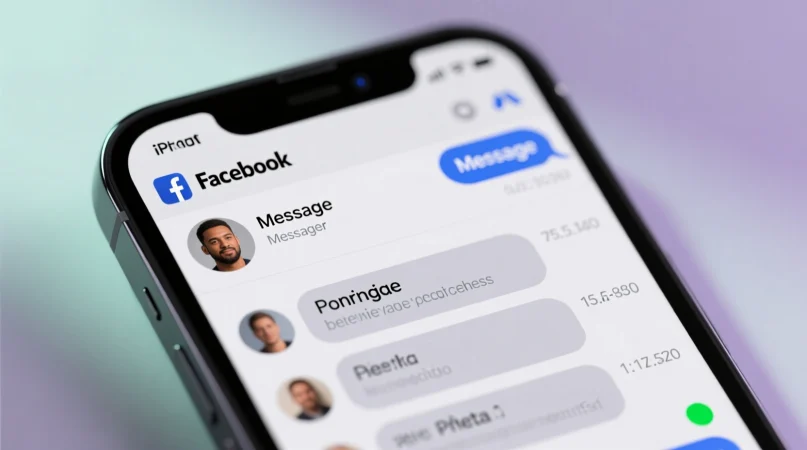
Have you ever opened Facebook, checked someone’s profile or Messenger, and noticed a small green dot next to their name — and instantly wondered:
“Are they online right now? Can they see I’m here too?”
If yes, you’re definitely not alone. Whether you’re a teen, a casual Facebook user, or someone who simply wants more control over privacy, that green dot can be confusing — and sometimes even stressful.
This guide speaks directly to you, the user who wants clear answers. We’ll break down exactly what the green dot means, how it works, when it shows up, and how to turn it off if you want more privacy.
Quick Answer:
The green dot on Facebook means the person is “Active Now,” or currently online. It’s a real-time indicator showing they are available to chat on Facebook or Messenger.
🧠 What Does the Green Dot Mean on Facebook?
The green dot is Facebook’s way of showing a user is active and currently using Facebook or Messenger.
If someone has the green dot next to their profile photo, name, or Messenger icon, it means:
- They’re online right now
- They may see your message immediately
- They are active on either Facebook, Messenger, or both
Example
“Sarah has a green dot — she’s online and can see your message right away.”
In short:
Green Dot = Active Now = Currently online and available to chat
🌍 Where Is the Green Dot Commonly Seen?
The green dot appears across different sections of Facebook, including:
- 🟢 Messenger chats
- 🟢 Facebook friends list
- 🟢 Facebook profile photos
- 🟢 Stories viewer list (shows who is active)
Tone
- Informal
- Functional
- Used for communication and availability
- Not used in professional contexts
💬 Real-Life Scenarios Showing the Green Dot
- You open Messenger:
You see a green dot next to your friend’s photo → they’re online. - You check someone’s profile:
A green dot appears on their profile picture → online now. - You send a message:
The green dot confirms they might reply instantly. - You’re browsing Facebook:
You have the green dot too — others see you online. - Situation: You don’t want people to see you active
→ You can turn off “Active Status.” - You see someone without the dot:
They’re either offline OR hiding their Active Status. - You see “Active 10 mins ago”:
They were online recently but not at this moment.
🕓 When the Green Dot Appears & When It Does NOT
✅ When the Green Dot Appears
- User is active on the Facebook app
- User is using Messenger
- User is connected to the internet
- User recently opened the app
- Active Status is turned ON
❌ When the Green Dot Does NOT Appear
- User turned OFF “Active Status”
- App is closed
- Internet is off or unstable
- Battery saver restricts background activity
- User logged out
- User using Facebook silently without chat
📊 Comparison Table — Green Dot Meaning by Context
| Context | What It Means | Why It Matters |
|---|---|---|
| Messenger | User is active & can chat | Instant messaging |
| Facebook Profile | User is online now | You may get quick replies |
| Facebook Friends List | Shows active friends | Easy to know who’s available |
| No Green Dot | User offline or hiding status | Adds privacy |
| “Active X mins ago” | User was online recently | Not currently active |
🔄 Similar Features or Alternatives on Facebook
| Feature | Meaning | When It’s Shown |
|---|---|---|
| Active Now (text) | User is online | Messenger |
| Active X minutes ago | User recently online | Messenger / chats |
| Phone icon | Active on mobile | Messenger |
| Web icon | Active on desktop | Messenger |
| No status | Hidden or offline | User disabled Active Status |
🙋♂️ Does the Green Dot Mean They’re Actually on Facebook Right Now?
Not always.
Someone may appear active if:
- Facebook is open in the background
- Messenger is running
- They received a notification
- Their device temporarily wakes apps
So the green dot is reliable, but not perfect.
❓ FAQs
1. Does the green dot mean someone is chatting?
Not necessarily — it only means they’re online.
2. If someone turns off Active Status, can I still see their green dot?
No, it hides it completely.
3. Is the green dot real-time?
Yes, it updates instantly.
4. Does the green dot show up on both Facebook and Messenger?
Yes — it syncs across both platforms.
5. Can the green dot be wrong?
Yes, sometimes apps running in the background cause false “Active” signals.
6. How do I turn off my green dot?
Go to Messenger → Profile → Active Status → Turn Off.
7. Can people still see my messages even if I turn off Active Status?
Yes — only the green dot is hidden, not read receipts.
🎯 Mini Quiz – Test Your Knowledge
1. The green dot on Facebook means:
a) User is active now ✅
b) User blocked you
c) User is typing
2. Does the green dot appear if someone turned off Active Status?
a) Yes
b) No ✅
3. “Active 8 minutes ago” means:
a) User was recently online but not now ✅
b) They’re currently typing
c) They deactivated their account
4. Where can the green dot appear?
a) Messenger
b) Facebook Profile
c) Friends List
d) All of the above ✅
5. True or False: The green dot always means they’re actively chatting.
❌ False
📝 Conclusion
The green dot on Facebook simply means a user is active and online, making it easier to know who’s available to chat. While it’s helpful for communication, it’s also important to understand its limits apps running in the background or notifications can trigger it too.
With this guide, you can now fully understand how the green dot works, when it appears, and how to control your own visibility for more privacy.